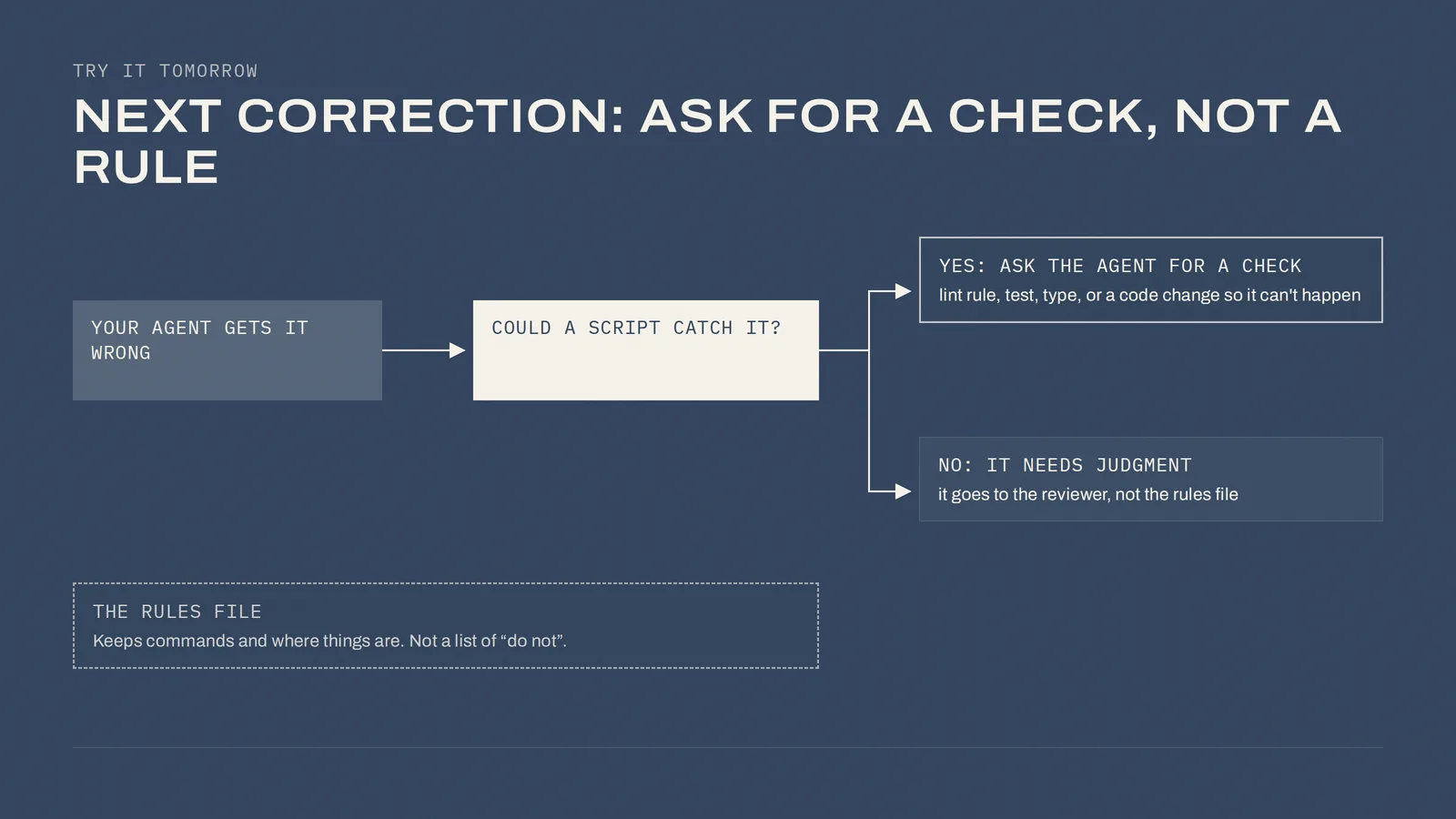
Everyone uses the same models. What changes the result is what you build around the model, and that part is the harness.
This is how I build mine, step by step, with the sources that changed how I work and an example for each step you can copy.
01
Why I stopped adding rules for my agents
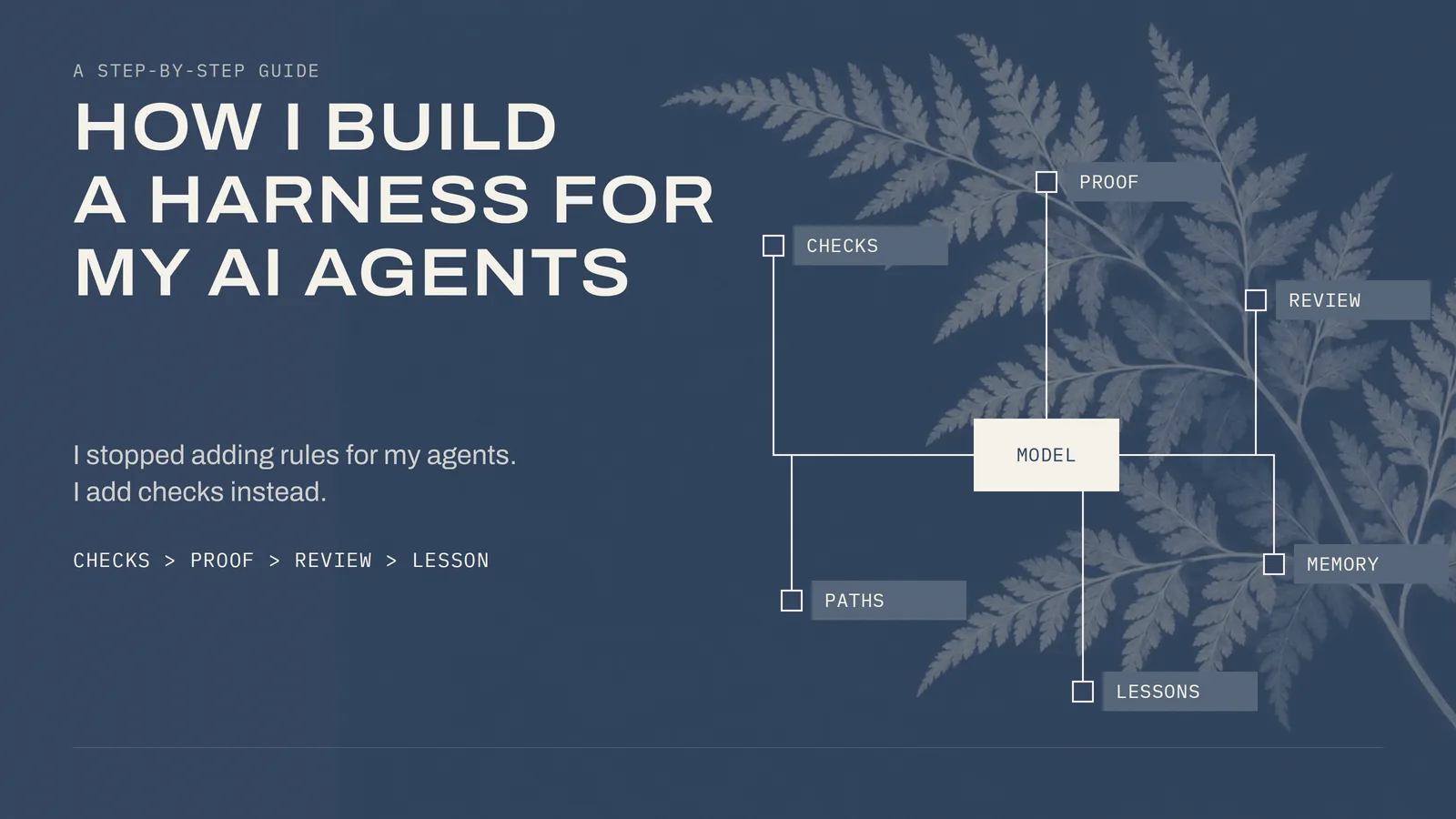
My agents have a memory note with a hard limit of 2,200 characters. Today it’s at 2,182. A lot of what’s in it, I wrote after a mistake: don’t do this, always do that, watch out for this command.
Every time an agent got something wrong, I added a line. It took me a few talks and posts from other builders to see that this is the wrong place for a correction. Every new line is one more sentence the agent has to read, remember and weigh against the others. This guide is what I do instead.
02
What a harness is
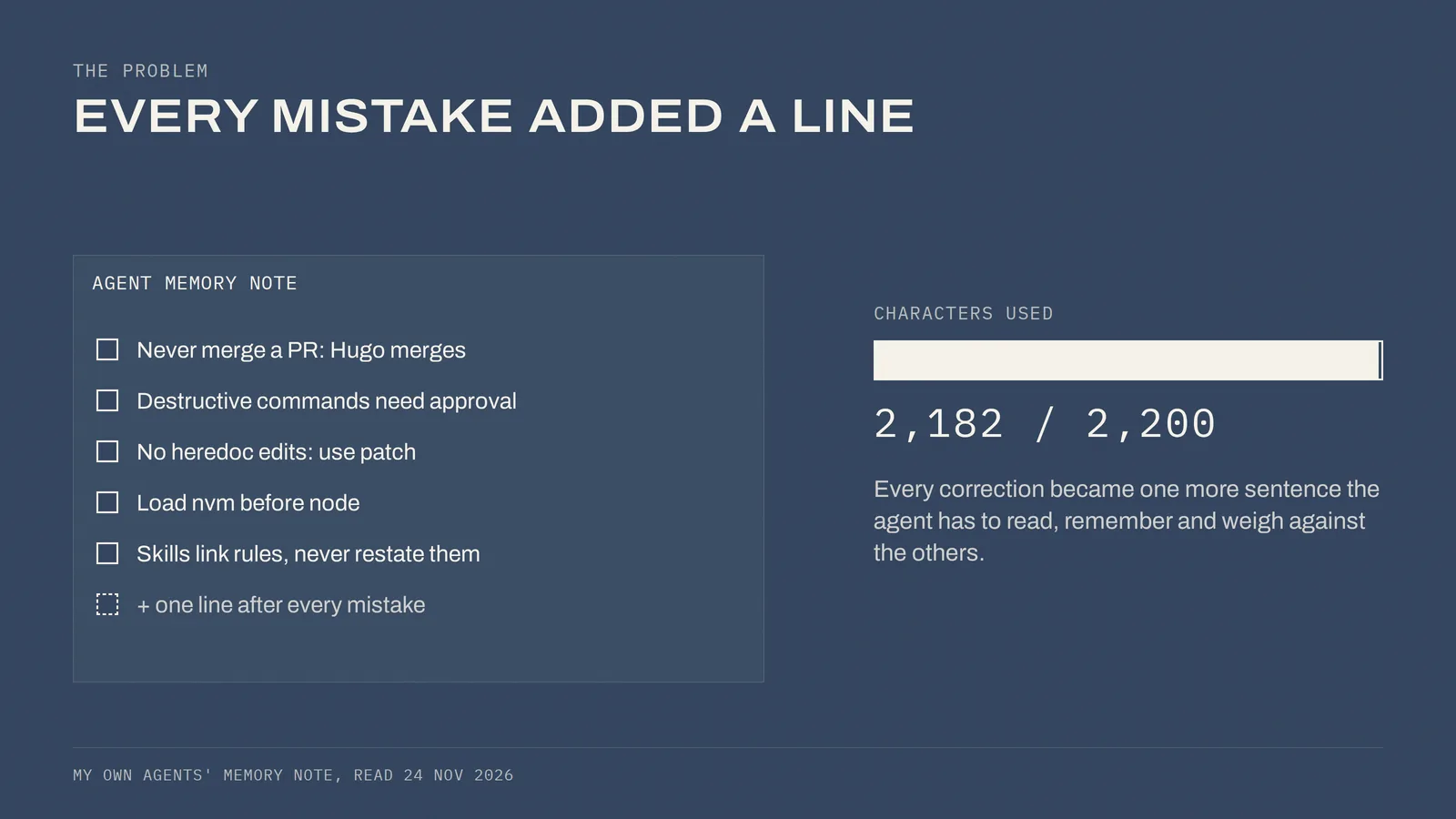
An agent is a model plus a harness. The model is the part you rent from Anthropic, OpenAI or Google. The harness is everything else:
- Context: what the agent can see when it starts a task.
- Tools: what it can do, like running commands, opening a browser or calling an API.
- Memory: what it keeps from one session to the next.
- Checks: what verifies its work, every time, without a model.
- Proof: what shows the work actually runs.
- Review: who judges what a script can’t.
- Permissions: what it can’t do without you.
OpenAI built an internal product with zero lines of hand-written code. In Harness engineering they wrote: “Early progress was slower than we expected, not because Codex was incapable, but because the environment was underspecified.”
That’s the whole idea. When your agent fails, the fix is usually in the environment, not in the prompt.
03
Where to spend your time
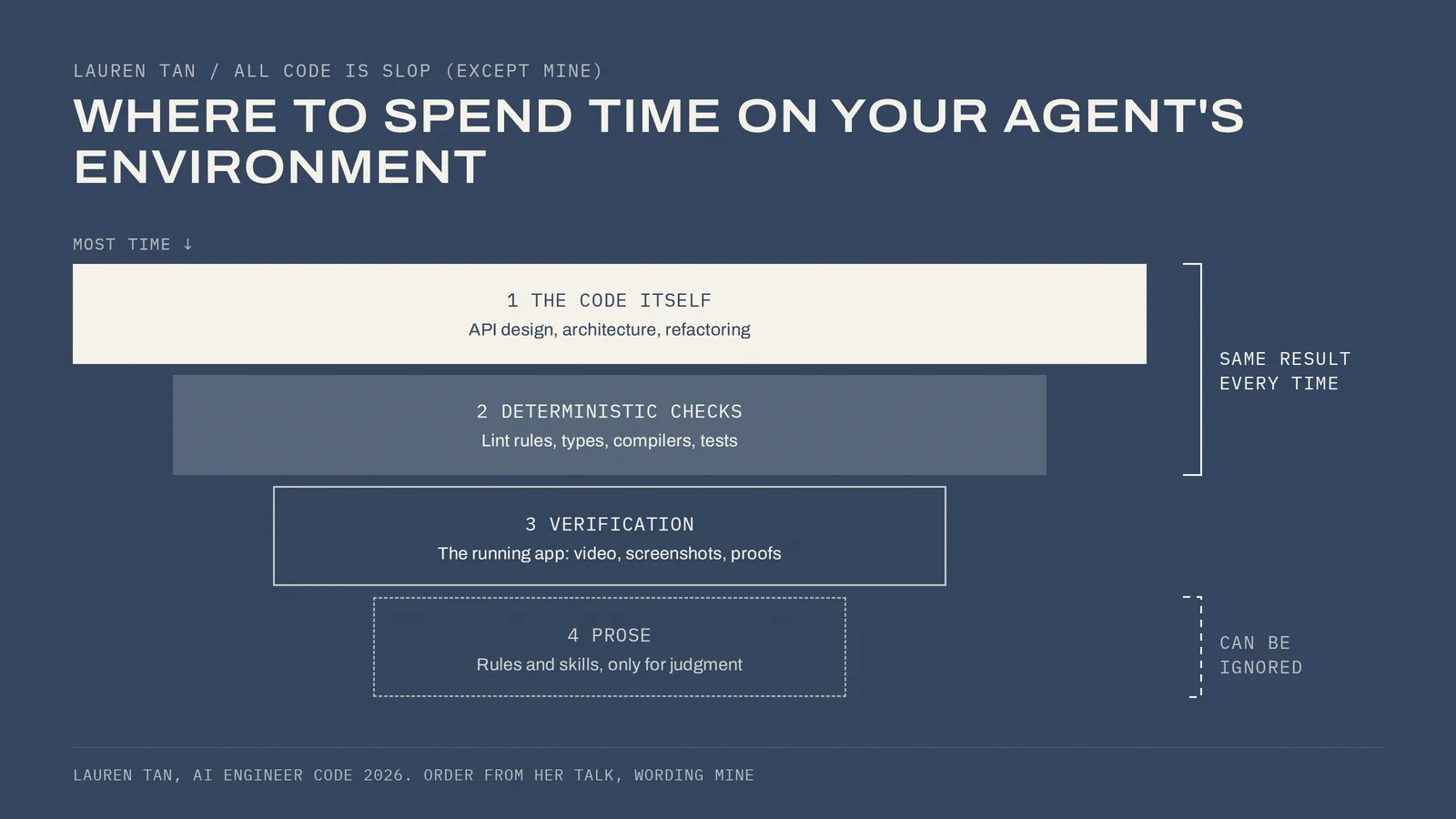
Lauren Tan’s team at SpaceXSI merged about 11,000 pull requests in a month, with around 0.5% reverted. In her talk All Code Is Slop (Except Mine) she gives the order to work in, most important first:
- The code itself.
- Deterministic checks: lint rules, types, tests.
- Verification: checking the running app.
- Prose last: rules and skills, only for what needs judgment.
The first two layers give the same result every time. A rule written in a file can be read, forgotten, or weighed against another line.
04
The 8 steps at a glance
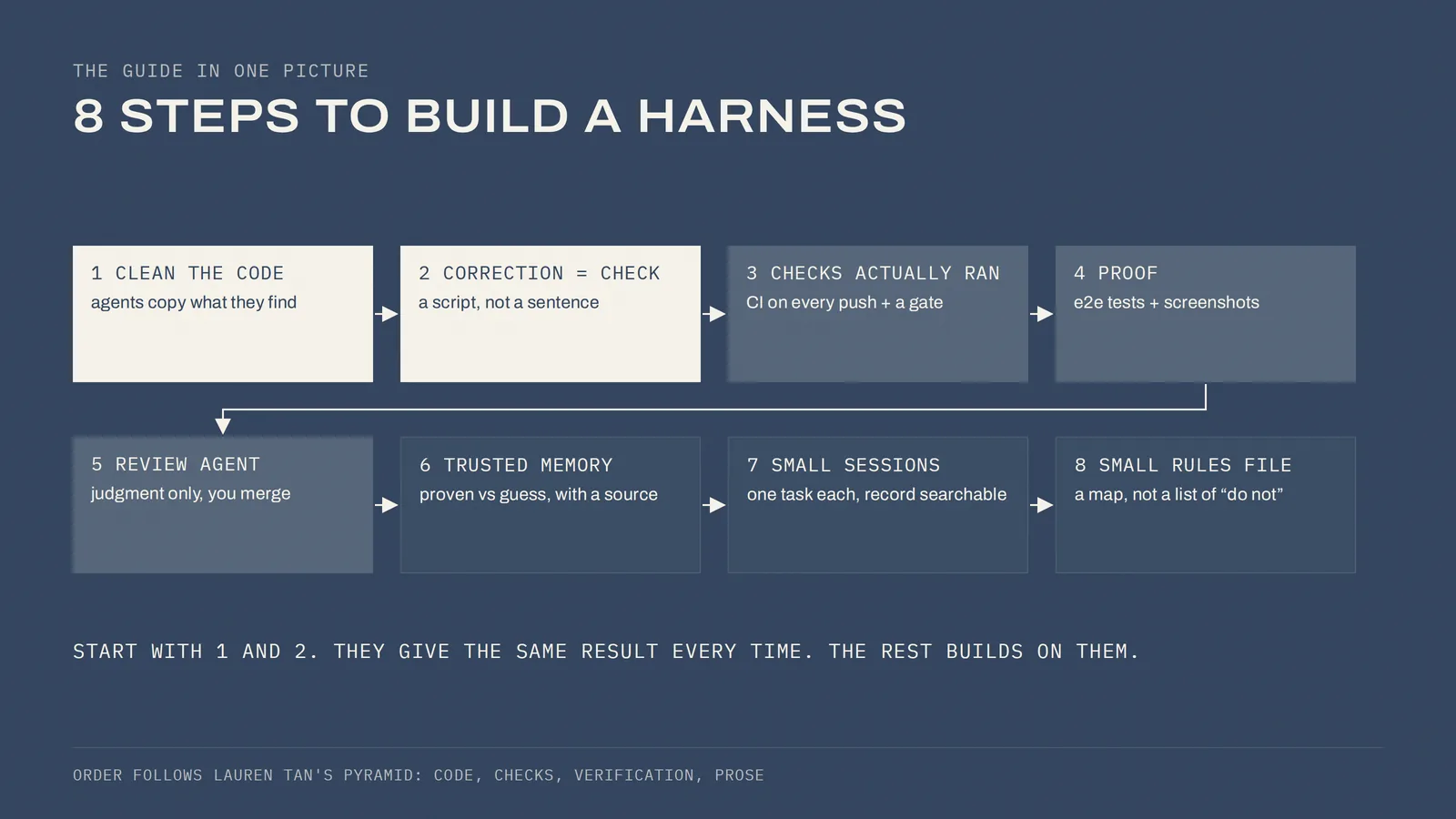
The steps below follow her order. Start with steps 1 and 2: they give the same result every time, and everything after them builds on them.
05
Step 1: Clean the code your agent reads
Agents copy what they find. One quick hack in the codebase becomes the example for the next ten changes. A rule that the code breaks in three places loses against those three places: the agent trusts the code more than your note.
So before you automate anything, pick the patterns you keep correcting and remove them from the codebase. If an API is easy to misuse, make it harder to reach.
An example: Lauren’s team banned React’s useEffect in product code, because agents kept misusing it. Same idea at a smaller scale: if your app has three different ways to call your backend, your agent will invent a fourth. Keep one and delete the others.
06
Step 2: Turn every correction into a check
A check is one statement a script verifies, with the same result every time: a lint rule, a type, a test, an import boundary.
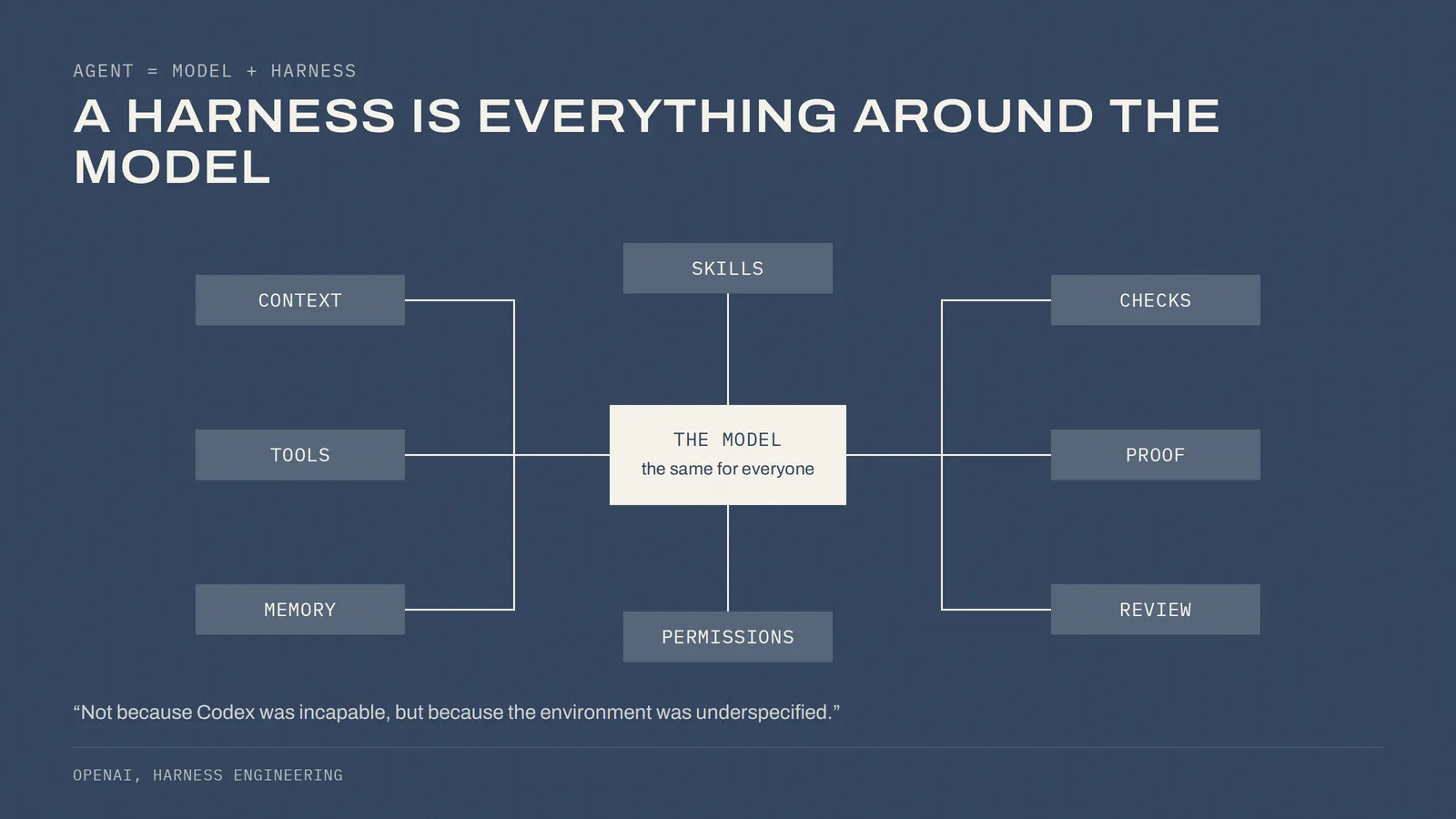
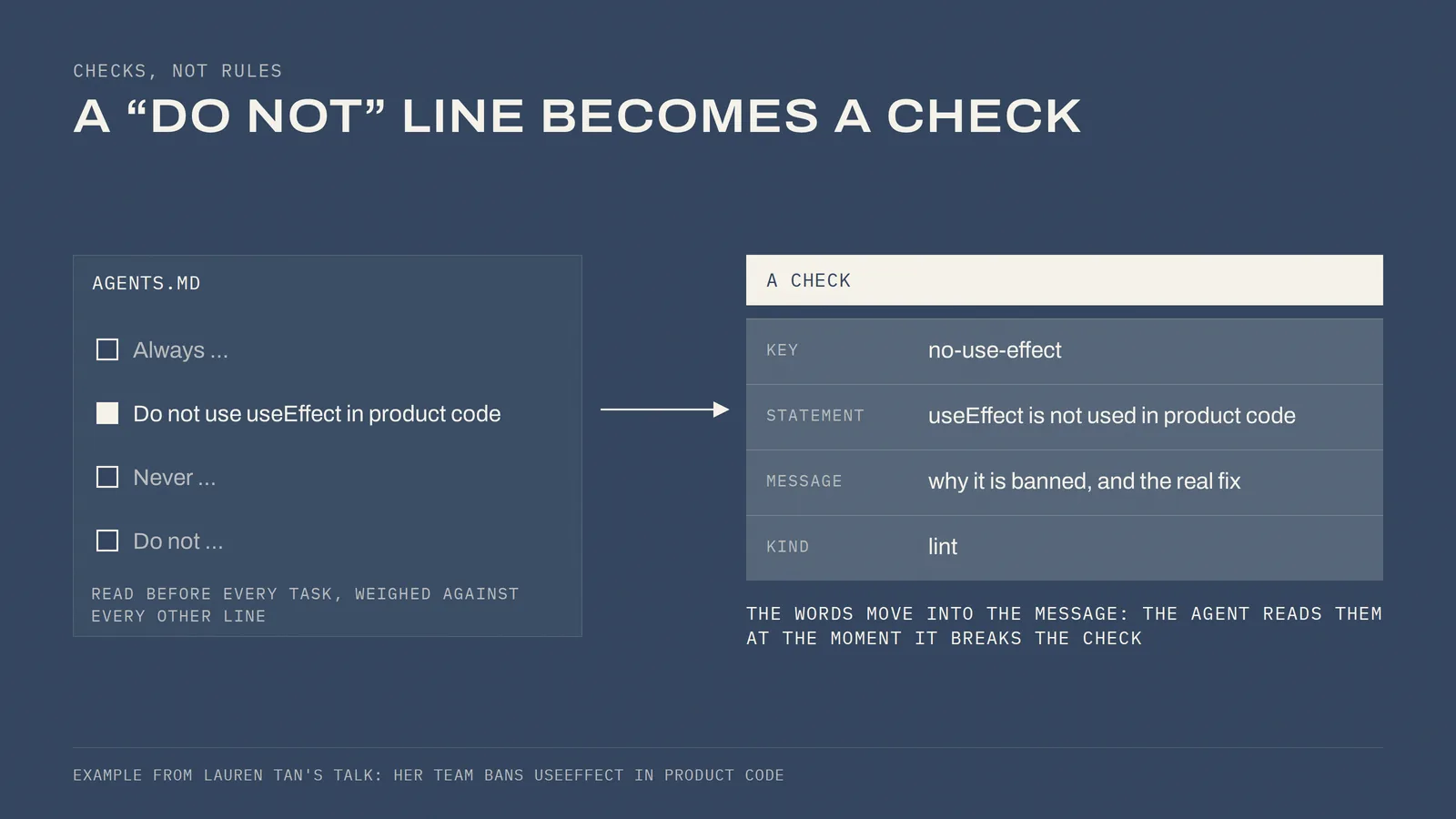
Next time you correct your agent, ask one question: could a script catch this? If yes, ask the agent to write the check instead of adding a line to AGENTS.md.
An example: the useEffect ban is a few lines of ESLint config.
rules: {
  "no-restricted-imports": ["error", {
    paths: [{
      name: "react",
      importNames: ["useEffect"],
      message: "No useEffect in product code: use the data hooks in lib/data instead.",
    }],
  }],
}
The words of your rule don’t disappear. They move into the check’s message, so the agent reads them at the moment it breaks the rule, not before every task.
07
Step 3: Make sure the checks actually ran
A check only helps if it runs. And agents will tell you it did when it didn’t.
Basia Kubicka tells this story in Agent = Model + Harness. Her first content agent was a chain of skills where every instruction said “MANDATORY. NEVER SKIP.” She asked the agent if it ran the full check. It answered “All checks pass.” The logs showed some checks had never run.
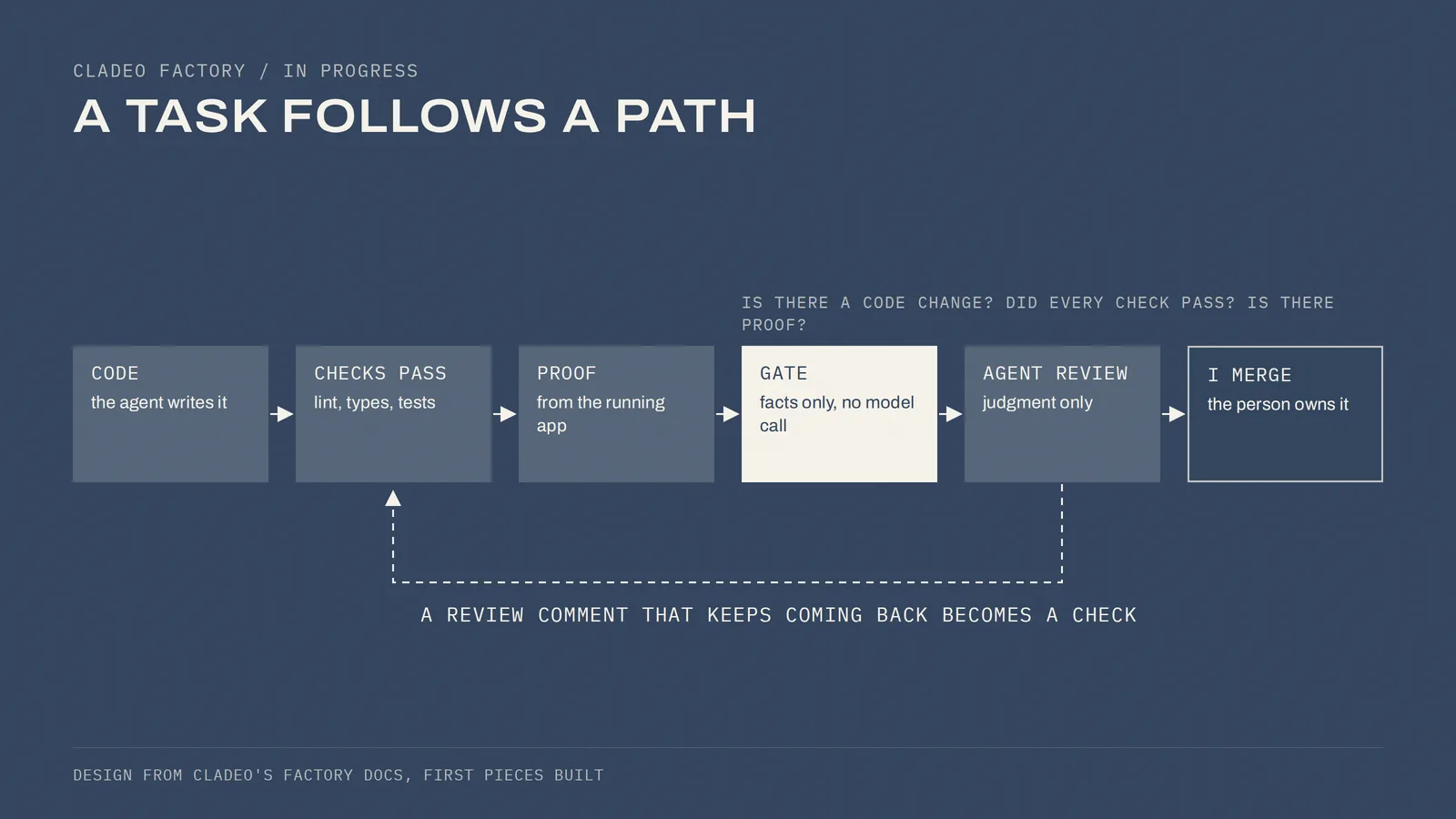
Her rule: “Anything deterministic moved out of the prompt and into code.” So run the checks outside the agent, on every push. Then add a gate: a step that confirms every required check reported a result before the work moves on.
An example: put every check behind one command, and let CI run it on every push. The agent runs one command instead of remembering seven, and the report shows which checks ran on which commit.
on: push
jobs:
  check:
    runs-on: ubuntu-latest
    steps:
      - uses: actions/checkout@v4
      - run: make check   # lint, types, build, tests, writes check-report.json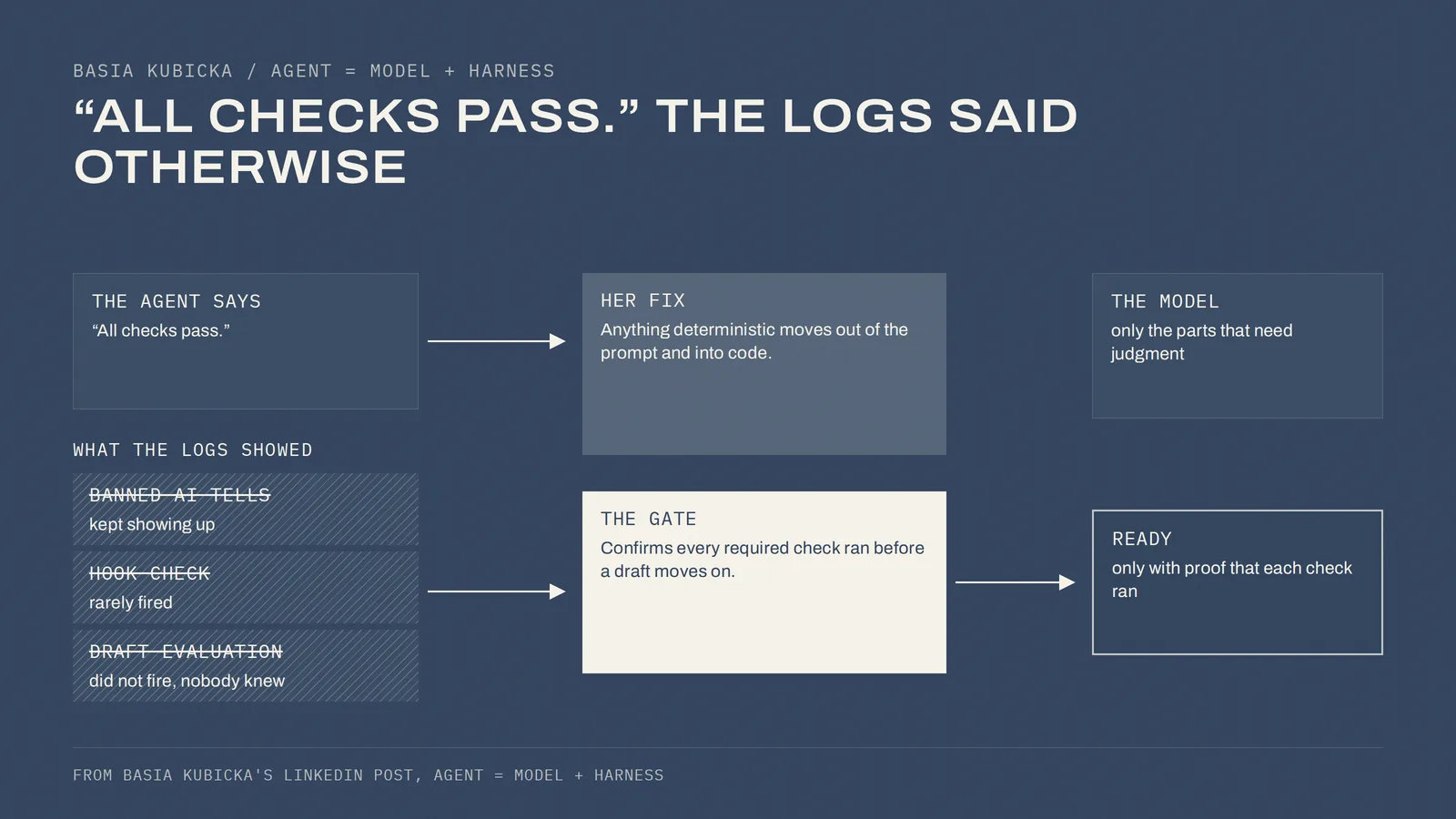
08
Step 4: Ask for proof from the running app
Passing unit tests don’t mean the feature works. They check pieces. End-to-end (e2e) tests check the real thing: they start the app, click through it like a user, and fail if the screen isn’t what it should be.
Lauren’s agents go one step further: they open the app themselves and send back videos and screenshots. Her team’s review is now mostly looking at that proof, not reading every line of the diff.
So give your agent e2e tests it can run (Playwright is an easy start), and make those tests save screenshots. Ask for the screenshots on every pull request that changes something a user sees. You check a screenshot in ten seconds. A diff takes ten minutes.
An example: a Playwright test that walks through a feature and keeps the proof.
test("create a database", async ({ page }) => {
  await page.goto("/databases");
  await page.getByRole("button", { name: "New database" }).click();
  await page.getByLabel("Name").fill("Leads");
  await page.getByRole("button", { name: "Create" }).click();
  await expect(page.getByRole("heading", { name: "Leads" })).toBeVisible();
  await page.screenshot({ path: "proof/new-database.png" });
});
09
Step 5: Add a review agent for what needs judgment
Some things can’t be a script. “Is this the simplest design?” “Does this match the task?” That’s judgment, and it goes to a reviewer, not to your rules file.
Make the agent open a pull request instead of pushing to main. Have a second agent review every pull request with a fixed list of things to look at. You merge.
An example: about 10 minutes after each push, my review agent posts one comment in three parts: code issues, things to simplify, and a security verdict. The coding agent gets at most 2 rounds to fix them, then it’s my turn. My agents can’t merge: a hook stops the merge command and asks me. When the same review comment keeps coming back, it becomes a check (step 2).
10
Step 6: Give it a memory it can trust
A memory is what your agent keeps between sessions. A memory you can’t trust can be worse than none, because the next session acts on it.
In The components of agent memory, Anthropic tested how Claude models write their own memory. Sonnet 4.6 left a scattering of files full of untested guesses. Opus 4.7 began “marking which facts it had checked and which were still unconfirmed.” Opus 5 wrote each rule together with how it knew the rule was true.
So for every memory, keep where it came from and whether it’s proven. A guess is allowed, but it stays labelled as a guess until something confirms it.
An example, made up to show the shape: two memories that look alike, but only one is safe to act on.
Proven: posts at 6 pm get more views than at 9 am
  12 posts at each time, checked on the real numbers

Untested: trend videos get 2x the usual views
  waiting for 3 videos, 0 posted so far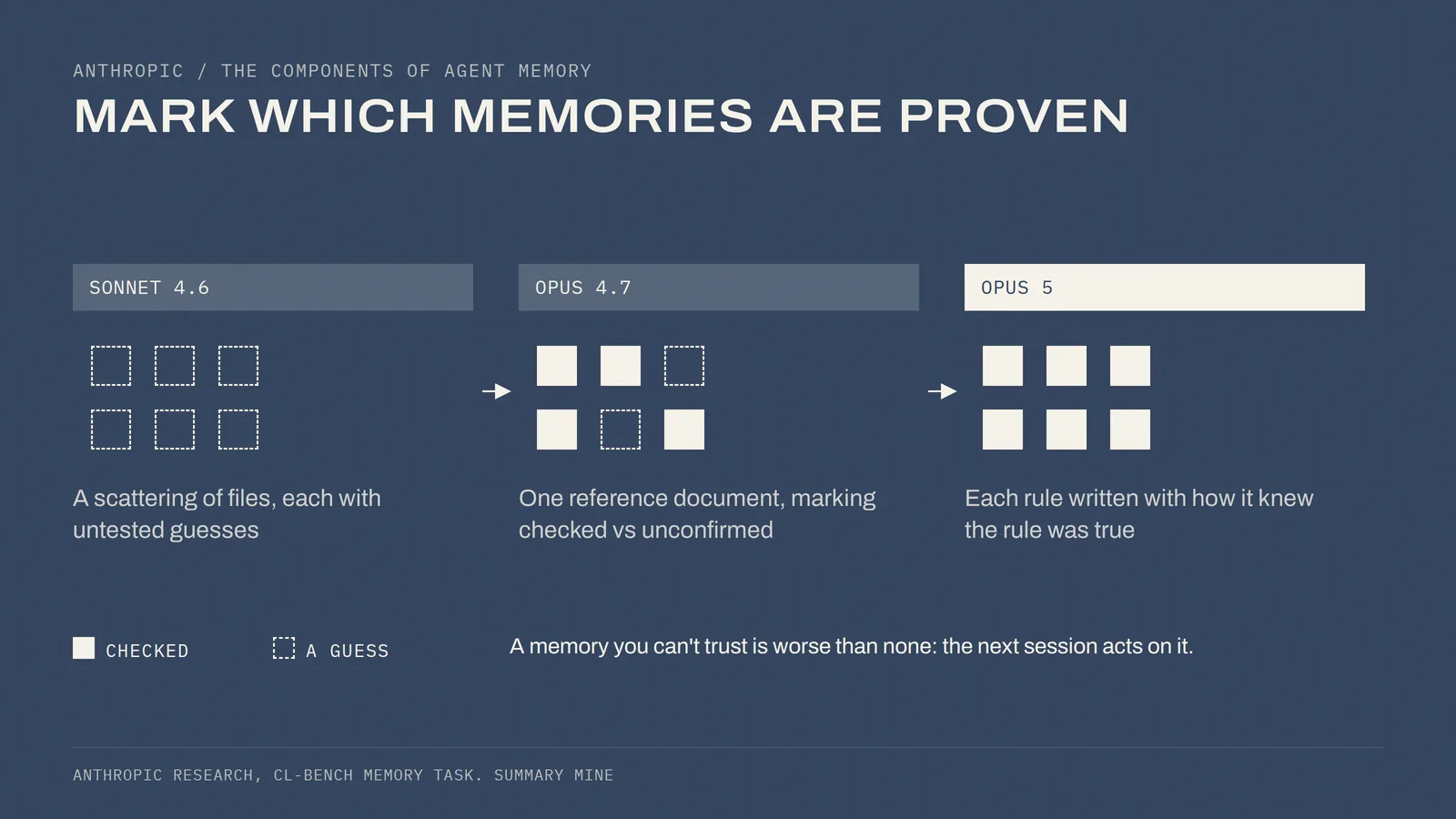
11
Step 7: Keep each session small
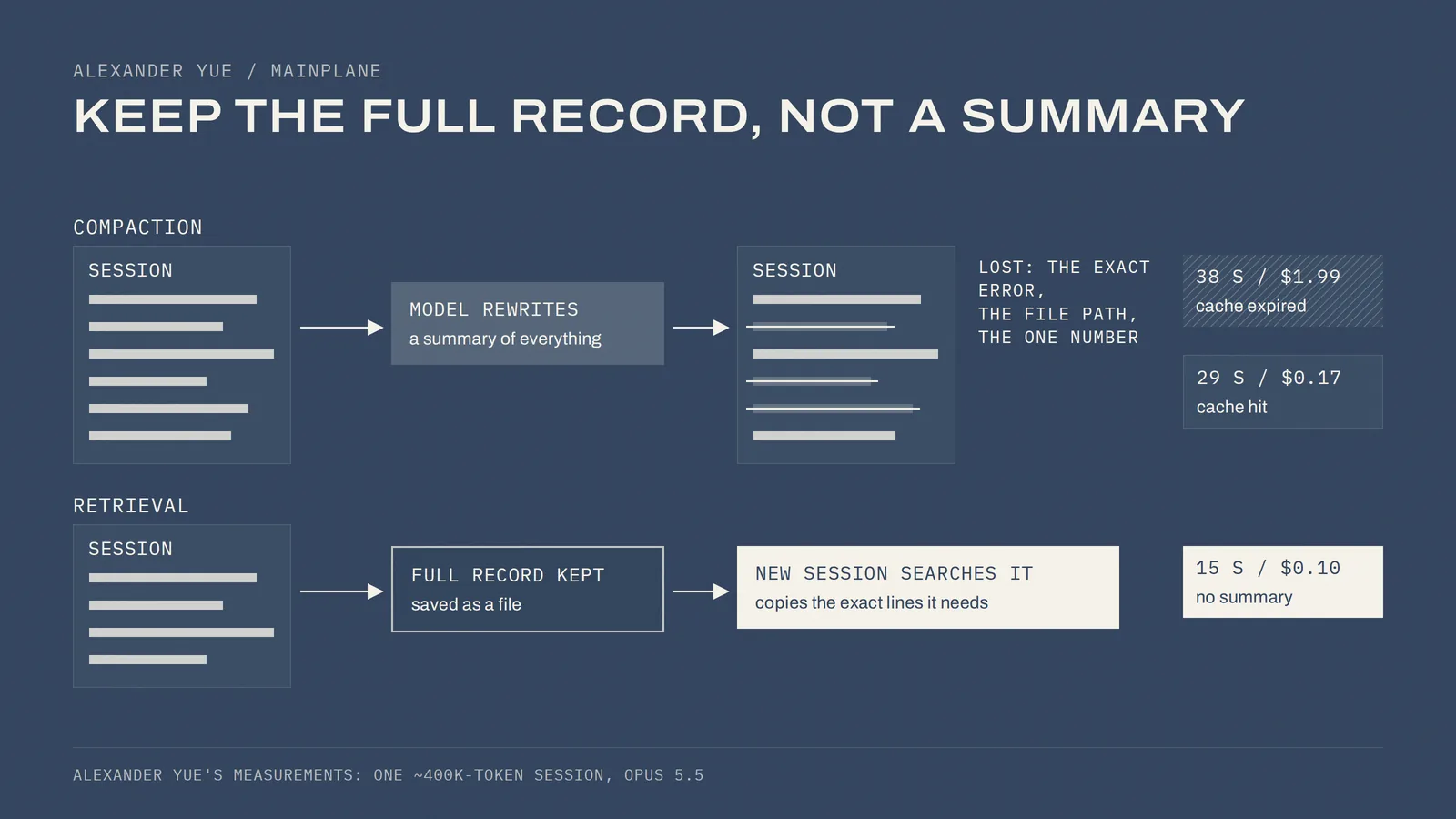
The more you put in one chat, the worse it gets. A big chat that has done everything since Monday is full of things that don’t matter for the task in front of it. When the context fills up, most tools summarize the session and start over from the summary.
Alexander Yue built Mainplane around the opposite idea, in his words: “Compaction is a mistake.” The summary loses “the exact error message, the file path, the one number you needed.”
So keep things minimal: one task, one session, with only what that task needs. Keep the full record of past sessions somewhere the agent can search, and let it pull the exact lines it needs instead of carrying everything.
An example: instead of asking your Monday chat to also fix a bug on Thursday, start a new session with the bug, the file index and the check command. If it needs the error from Monday, it searches Monday’s session and copies the exact line.
12
Step 8: Keep the rules file small, and fix the setup
After steps 1 to 7, your AGENTS.md doesn’t need a list of “do not”. It routes: the commands to run, where things are, which skill to load. Basia’s version: “AGENTS.md points the agent to the right source” and “skills load context progressively.”
Go through your rules file line by line. Each “do not” or “always” becomes a check (step 2), moves into a skill that loads only when needed, or goes to the review agent (step 5). What’s left is a map.
An example: a rules file after the cleanup.
Commands: make check before you say done, make verify for proof.
Where things are: docs/index.md maps questions to files.
Skills: load billing before touching payments.
And when the agent fails next time, don’t start with the prompt. Ask what was missing in the environment: a check, a tool, a piece of context, a permission.
13
Where I’m taking this
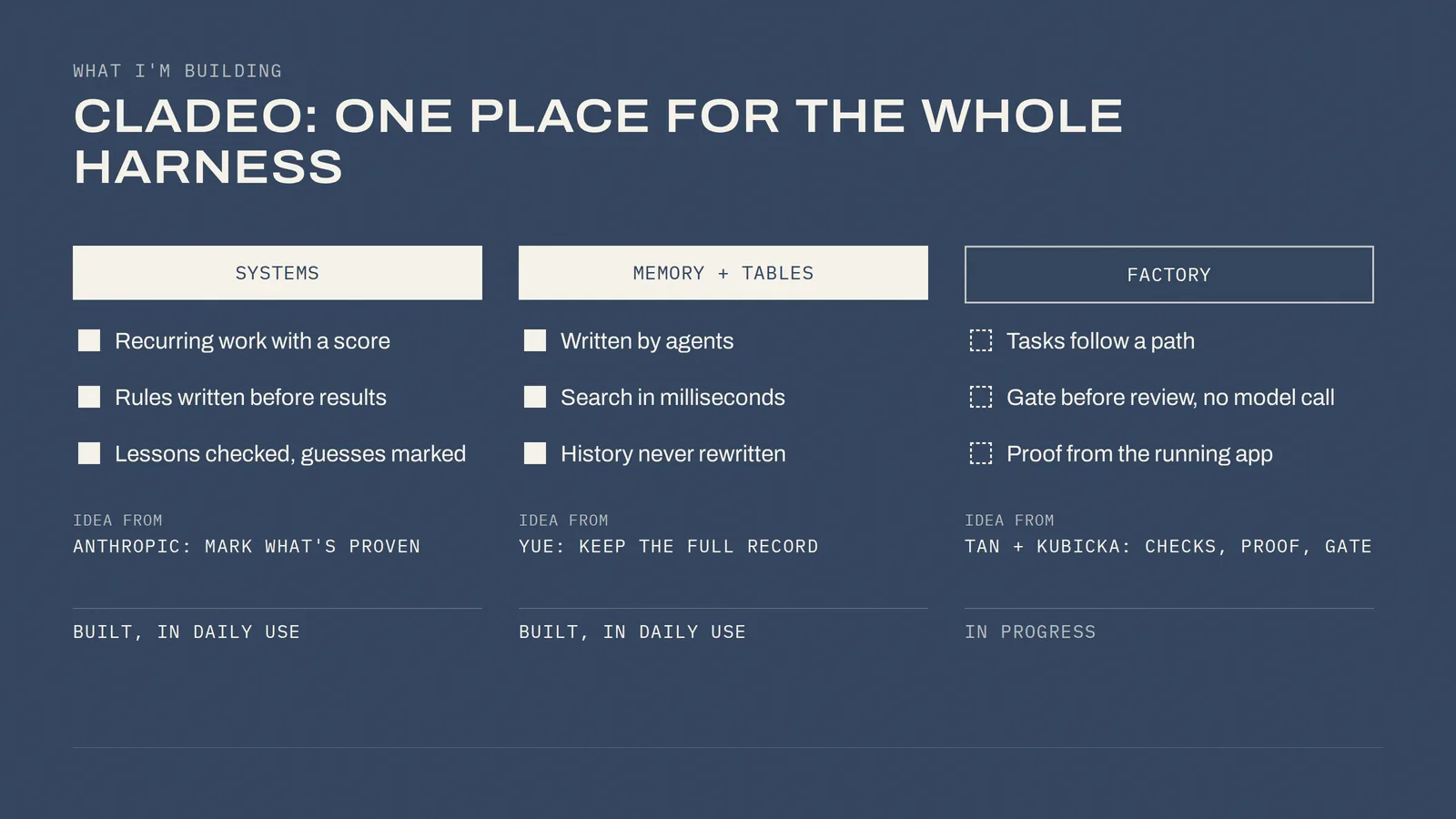
I’m putting all of this in one place: Cladeo. It started as the place where my agents run recurring work with a score, like my posts and short videos, and it’s turning into my harness.
It’s not finished. Memory and systems run every day. The part for code, with the gate and the review path from steps 3 to 5, is what I’m building right now, and I keep changing it as I learn.
14
Start tonight
You don’t need all 8 steps to start. Pick your agent’s most repeated mistake and do this:
- Ask whether a script could catch it.
- If yes, ask the agent to write the check, with your rule as its message.
- Run it on every push.
- Delete the line from your rules file.